Highview Elementary School |
|
|
|
Please take a few minutes to review the three reminders below regarding arrival, dismissal, and our car loop procedures. Consistency with your child’s daily pick-up plan is very important and helps us keep dismissal safe and organized. Thank you for reviewing these expectations with your child and helping us keep arrival and dismissal running smoothly each day! |
|
|
|
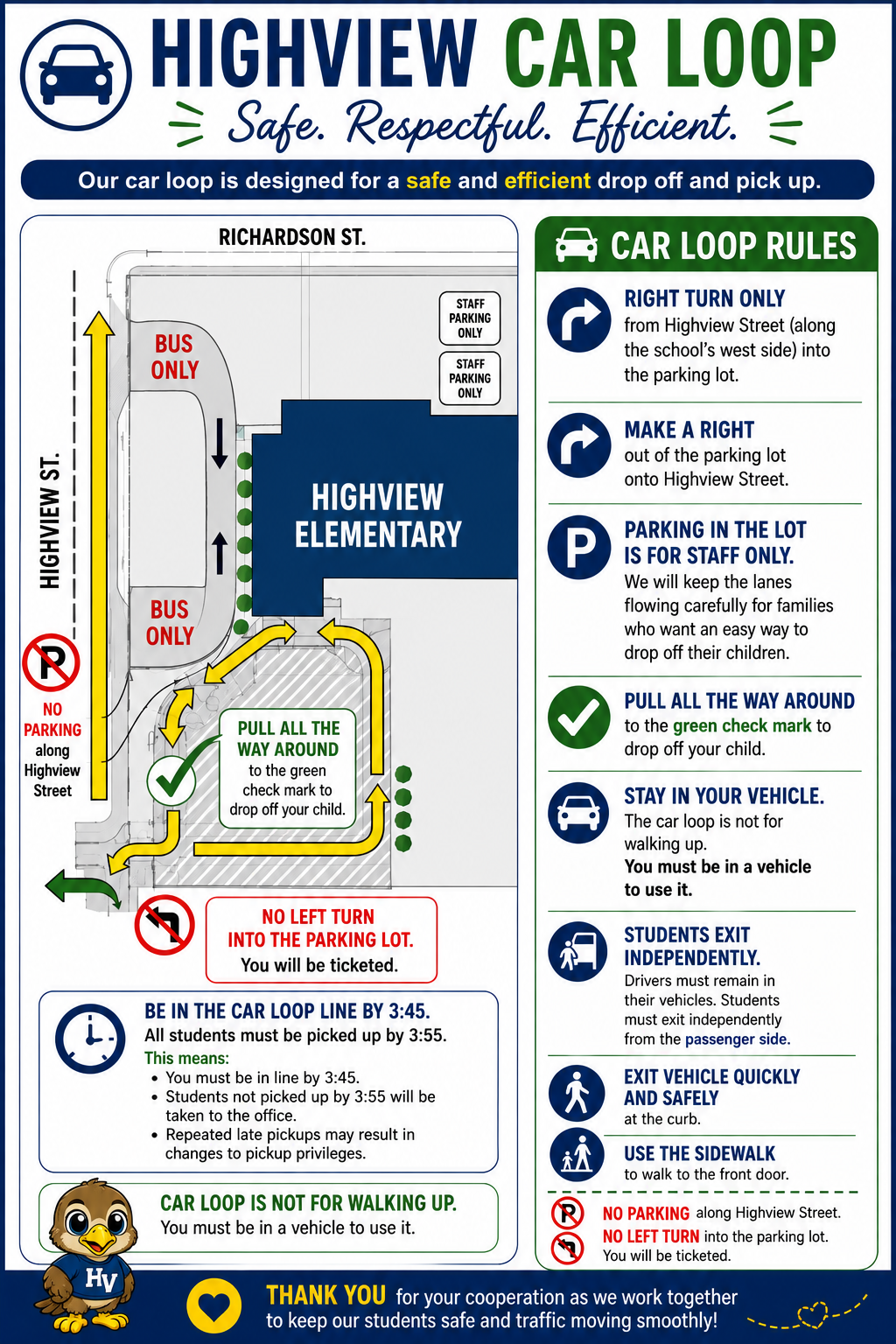
| Highview Elementary Car Loop: Safe, Respectful, and Efficient |
The safety of our students is always our top priority! We ask all Highview families to review and follow our car loop procedures to help keep arrival and dismissal safe, organized, and efficient. Please follow the designated traffic patterns, remain in your vehicle while using the car loop, and follow staff directions. Families should also use designated parking areas when they need to enter the building.
Thank you for your patience and cooperation as we work together to keep our students safe! Please review the attached car loop map and guidelines for additional details. |
|
|
|
A Great Day Starts on Time at Highview! |
|
|
|
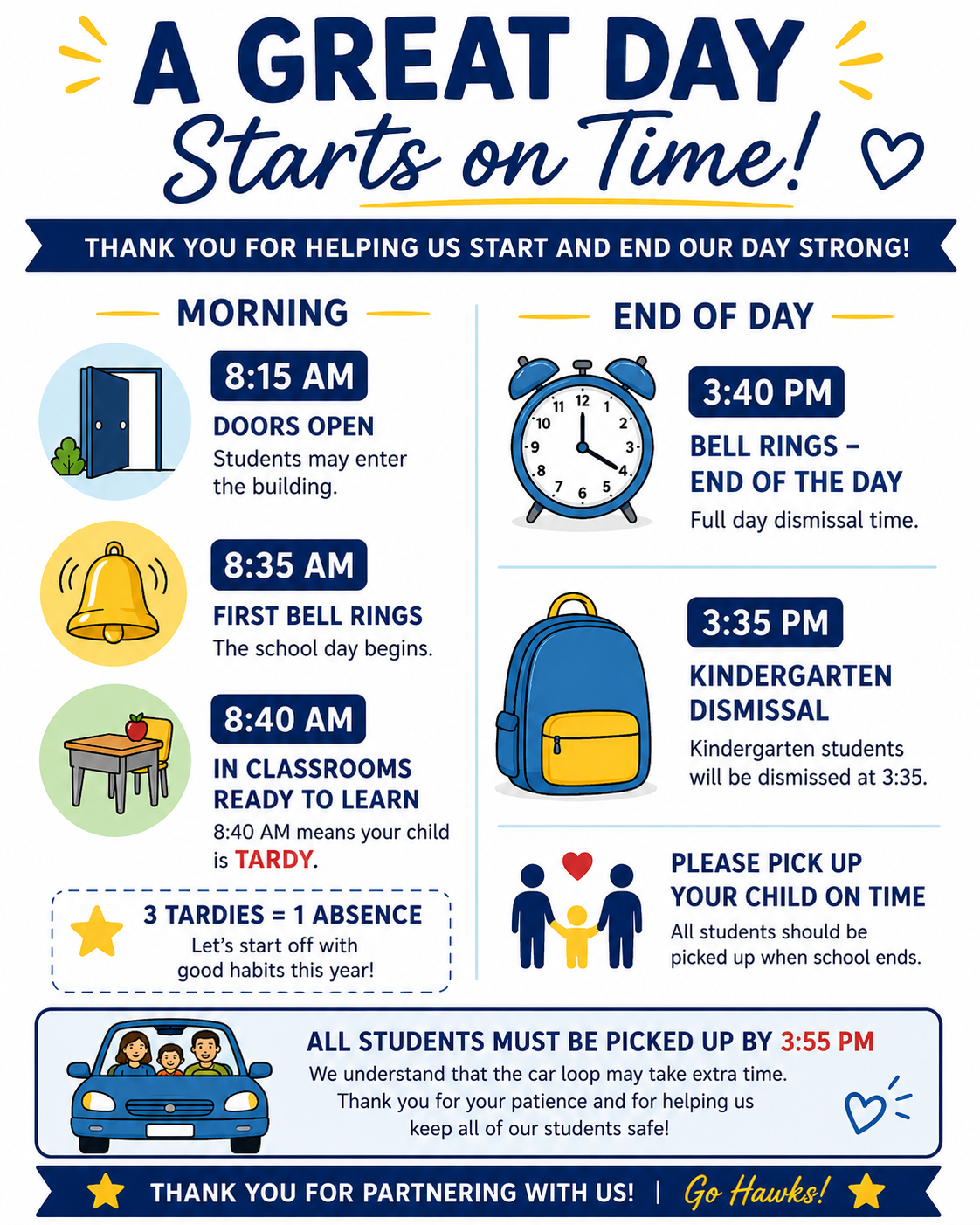
Being on time helps our students start their day feeling prepared, confident, and ready to learn! We appreciate our families' help in ensuring students arrive at school on time each morning. Important Daily Times: |
- 8:15 AM: Doors open for students to enter the building.
- 8:35 AM: First bell rings.
- 8:40 AM: Classrooms are ready to learn, and students should be in class.
- 3:35 PM: Kindergarten dismissal.
-
3:40 PM: End of the school day for grades 1–5.
|
Please remember that students must be picked up by 3:55 PM. Thank you for helping us make every school day a great one! |
|
| |
|
Help Us Keep Dismissal Safe and Organized! |
|
| |
|
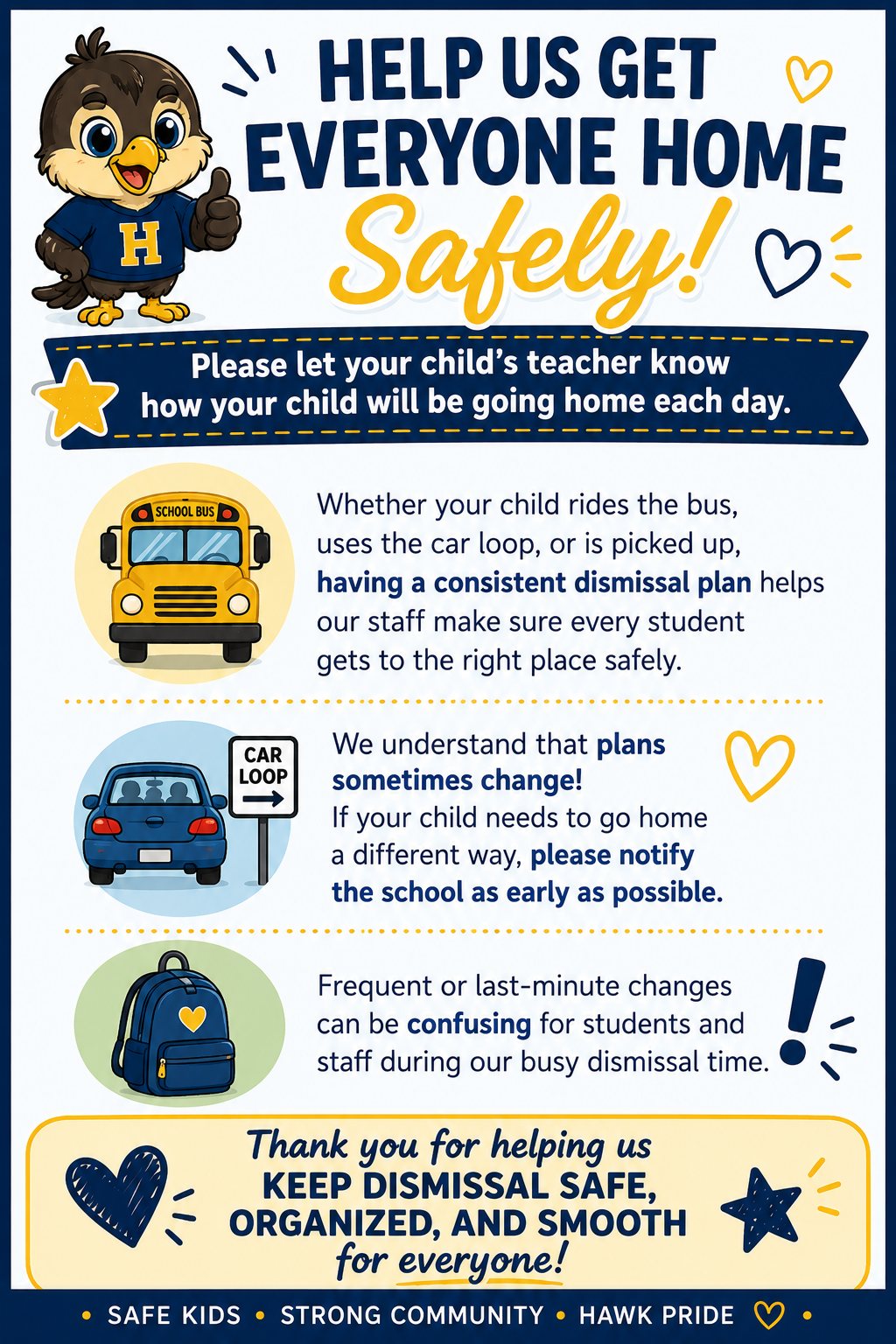
At Highview Elementary, we want every student to arrive home safely! We ask families to help us maintain a smooth and organized dismissal process by making sure their child's teacher knows how their student will be getting home each day. Whether your child rides the bus, uses the car loop, or is picked up by an adult, having a consistent dismissal plan helps our staff ensure every student gets to the right place safely. Please avoid frequent or last-minute changes to dismissal plans, as these can create confusion for students and staff. Thank you for partnering with us to keep dismissal safe, efficient, and organized for everyone! |
|
|
|
🎃👻 Highview’s Trunk-or-Treat: A Spooktacular Success! 🧡🍬 |
🎃👻 What a wonderful Trunk-or-Treat event!
A huge thank-you to all of our Highview families, volunteers, and generous sponsors for making tonight's event such a great success! A special thank-you to Auntie Anne’s, Hashem's Meat Market, Raoche Roastery, and the Dearborn Heights Police Department for being part of our celebration! We are especially grateful that our vendors are also part of our Highview family. Your generosity and support mean so much to our school community! Thank you as well to everyone who decorated their trunks, donated candy, volunteered their time, and came out to celebrate with us. Seeing so many smiling faces, creative costumes, and families enjoying the evening together made it truly special! We are so fortunate to have such a wonderful and supportive Highview community! 🧡🎃 |
🎃 Highview's Annual Pumpkin Raffle! 🎟️ |
We have decided to end our Pumpkin Raffle a little earlier than originally planned! Monday, October 26th, will be the last day to purchase tickets, and winners will be drawn after lunch.
If your child is a winner, we ask that you please pick up the pumpkin on Monday once you have been notified. Thank you so much for your continued support! |
📸 Fall Picture Day – Monday, October 26! 🍂 |
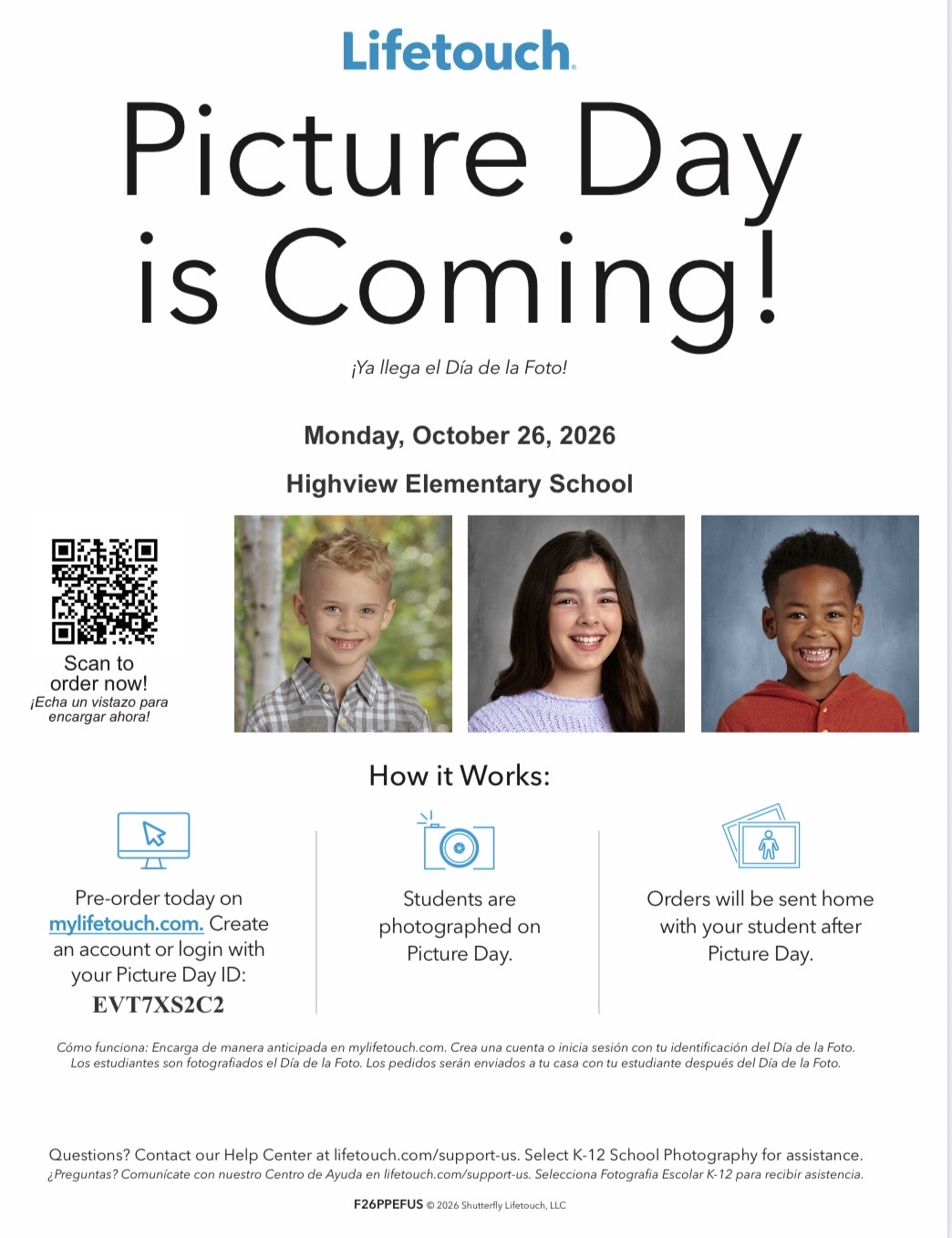
Fall Picture Day is scheduled for Monday, October 26!
Picture order forms were sent home. If you plan to order pictures, please make sure the completed order form and payment are enclosed in the envelope and sent to school with your child on Picture Day. You may also order online. We look forward to seeing all those wonderful smiles! 📸😊 |
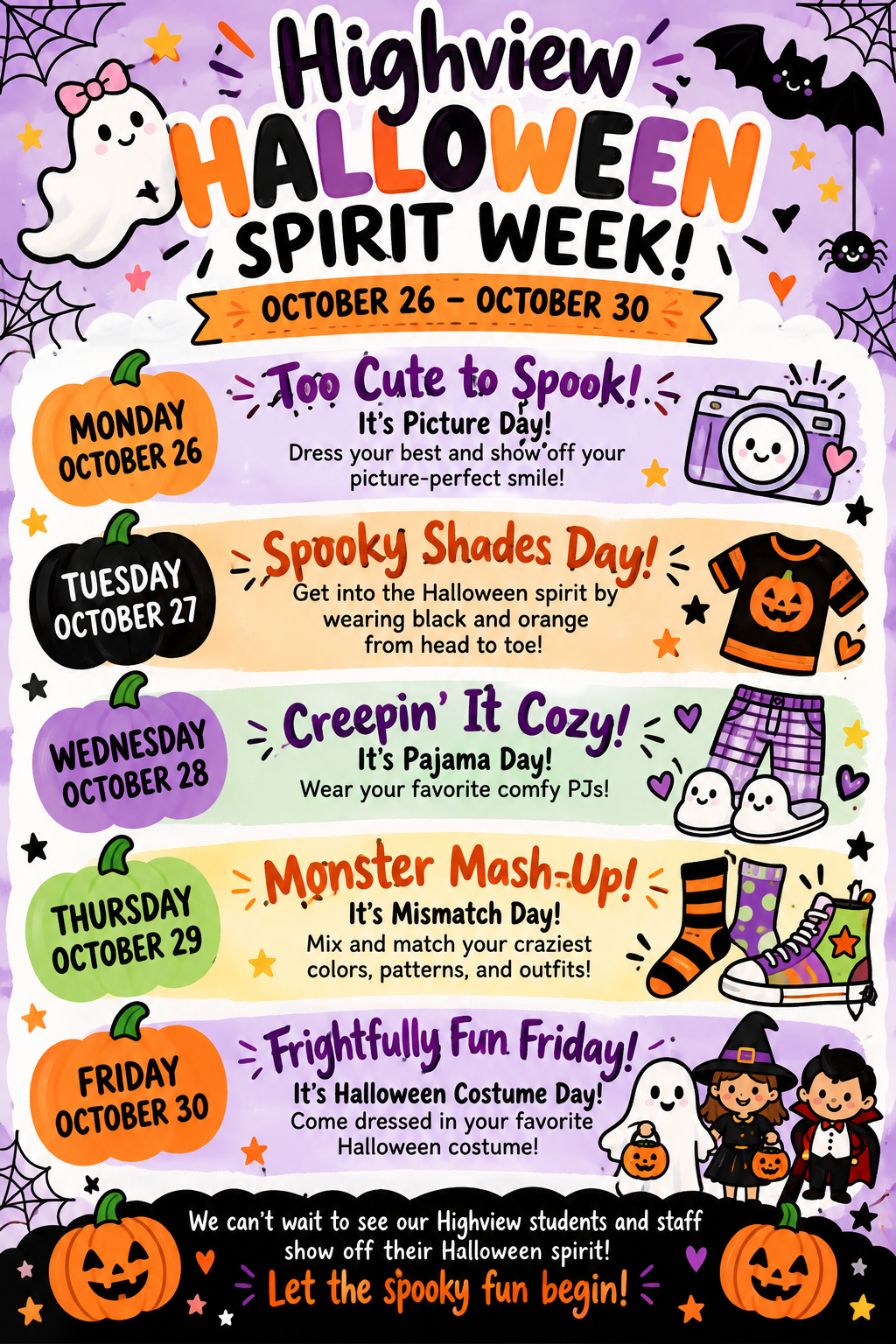
🎃 Highview Halloween Spirit Week 🎃 October 26–30, 2026
👻 Monday – Too Cute to Spook! Picture Day! Dress your best! 🧡 Tuesday – Spooky Shades Day! Wear black and orange! 💜 Wednesday – Creepin’ It Cozy! Wear your favorite pajamas! 🧦 Thursday – Monster Mash-Up! Wear your craziest mismatched outfit!
🧙 Friday – Frightfully Fun Friday! Wear your favorite Halloween costume! 🎃 Let the spooky fun begin! |
Halloween Parade: Friday, October 30 at 3:00 |
We are excited for our Halloween Parade on Friday, October 30th, weather permitting!
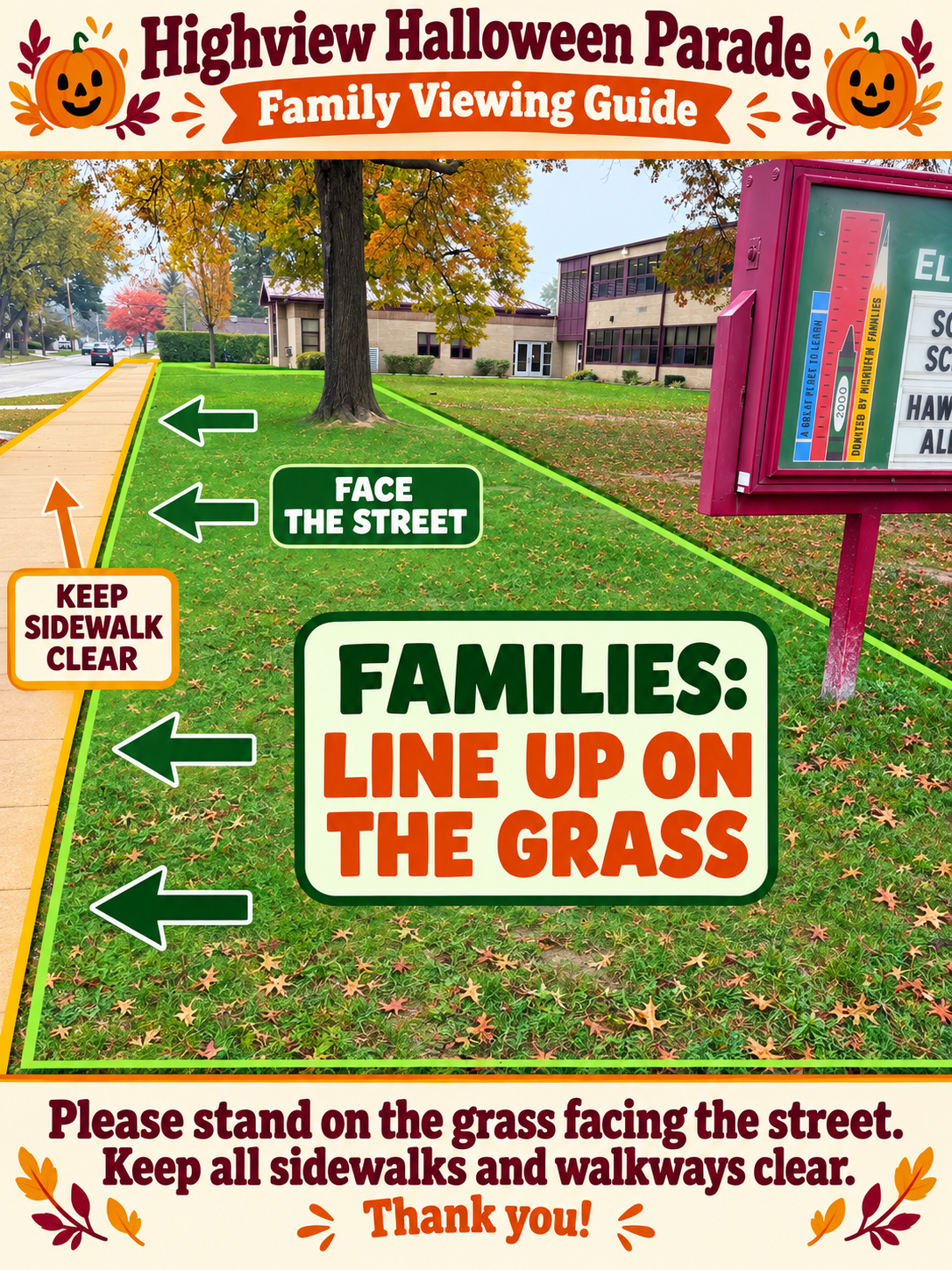
We ask that all families arrive, park, and be in their designated spots on the grass by 3:00 PM. The parade will begin promptly at 3:10 PM. Please refer to the diagram below for designated viewing areas. Families should line up along the grass facing the street and keep all sidewalks and walkways clear for the safety of our students.
If the weather does not cooperate and we need to cancel the parade, a text message will be sent to families. We look forward to seeing everyone and all the wonderful Halloween costumes! |
Highview Daily Procedures & Expectations |
🚌 Be On Time: Students should arrive by 8:35 a.m. ⏳ Three tardies equal one absence — every minute matters! 🚪 Late Drop-Off / Early Pick-Up: Please use the front/main entrance for all late drop-offs and early pick-ups. Parents must come inside to sign students in or out. If your child needs to leave early, please call the office by 12:00 p.m. 🚫 Early Dismissal: No dismissals will take place after 3:15 p.m. Please reserve early pick-ups for situations when they are truly necessary.
🍎 Lunch Reminder: Please send lunch with your child in the morning. Students arriving after 9:00 a.m. must bring a lunch from home, as our lunch count is submitted earlier in the morning.
🤒 Illness Reminder: If your child has a fever or has vomited, they must remain home and be symptom-free for 24 hours without medication before returning to school. This helps us limit the spread of illness and keep everyone healthy. 👟 Dress for Success: For safety, students should wear closed-toe shoes. Please do not send students in Crocs, slippers, slides, or open-toed shoes.
🧥 Extra Clothes: Please send a change of clothes with your child to keep at school in case it is needed 🎉 Birthday Celebrations: Please check with your child’s teacher first. Simple treats only; no decorations..
🚫 Toys & Personal Items: Please keep toys, balls, trading cards, and other personal items at home. These items can cause distractions, conflicts, and lost belongings. Items brought to school may be kept in the office for parent pick-up. 🚗 Parking & Traffic Safety: Please follow all posted traffic patterns. No left turns are permitted in or out of the parking lot.
Please do not park near the dumpster or back door. The back parking lot is for staff only. 📞 Absences: If your child will be absent, please call the office at 313-278-8390. 💙 Thank you for helping us keep Highview safe, organized, and running smoothly each day! |
Upcoming Events and Important Dates |
🗳️ Tuesday, November 3 Election Day — Professional Development for Staff No School for Students
💙💛💚🤍 Friday, November 6- Michigan/Michigan State Day! Show your school spirit by wearing your favorite Michigan or Michigan State gear or colors! 🦃🍂 Wednesday, November 25 – Friday, November 27 Thanksgiving Recess — No School Wishing all our Highview families a wonderful Thanksgiving! |
|
|
|
Your Voice Matters! Join the Crestwood Parent Action Committee |
|
| |
|
Crestwood School District is excited to announce the launch of our Parent Action Committee (PAC), and we invite parents and caregivers from across the district to get involved!
We believe that strong schools are built through strong partnerships with families. The Parent Action Committee will provide an opportunity for parents and caregivers to connect with district leadership, share ideas, celebrate successes, and work together to continue improving the educational experience for all Crestwood students.
Our first Parent Action Committee meeting will be held on Thursday, November 12, 2026, with two meeting times available: 9:00 AM and 5:00 PM. Both meetings will take place at the Crestwood School District Administrative Office, located at 1045 N. Gulley Road, Dearborn Heights.
We welcome parents and caregivers from all Crestwood schools who are interested in participating in positive, productive conversations and helping shape the future of our district. Interested in joining? Please complete our Parent Action Committee Interest Form to let us know!
Your voice matters, and we look forward to working together to make Crestwood School District an even better place for our students and families! |
|
|
|
Join Us for Crestwood High School's Trunk or Treat - 10/28 |
|
|
|
|
Get your Halloween costumes ready! Crestwood High School invites families and community members to join us for Trunk or Treat on Wednesday, October 28th, from 5:00–6:30 PM in the Crestwood High School Circle Drive!
This fun-filled event is a wonderful opportunity for families to come together and enjoy an evening of Halloween festivities. Children and families can look forward to lots of treats, creative costumes, and fun games while spending time with friends and connecting with our Crestwood community. Event Details: Date: Wednesday, October 28, 2026
Time: 5:00–6:30 PM
Location: Crestwood High School Circle Drive |
|
|
|
We encourage families to dress in their favorite Halloween costumes and join us for an evening of fun and community spirit! We hope to see you there for a fantastic evening of Halloween fun! |
|
|
|
Join Us for a Halloween Family Game Night - 10/27 |
|
|
|
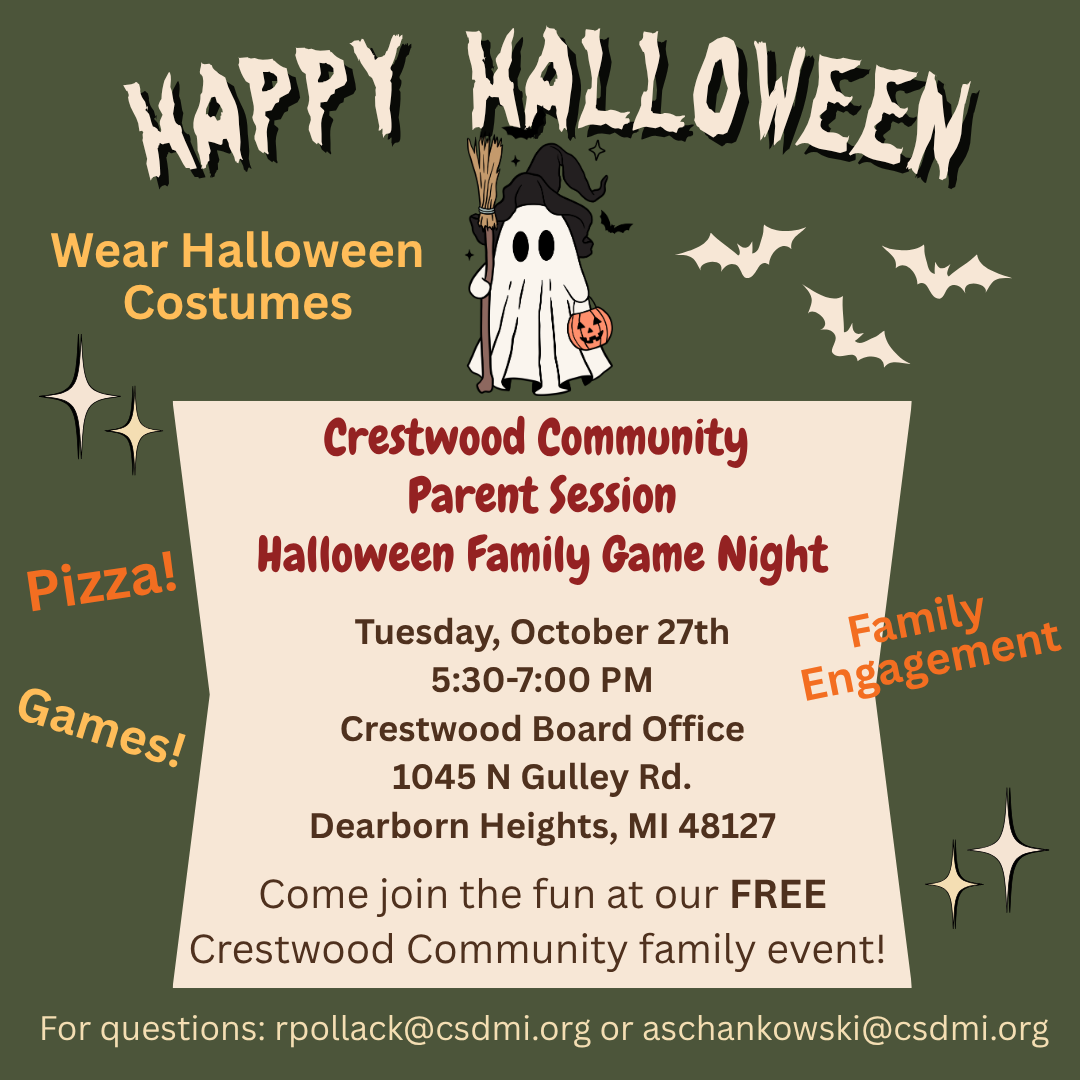
Get ready for an evening of Halloween fun! Crestwood School District invites all families to attend our FREE Crestwood Community Parent Session: Halloween Family Game Night on Tuesday, October 27th, from 5:30–7:00 PM at the Crestwood Board Office.
This family-friendly event is a wonderful opportunity to spend quality time together, connect with other Crestwood families, and strengthen our school community. Families can look forward to games, pizza, and plenty of Halloween fun! Everyone is encouraged to wear their favorite Halloween costumes and join in the festivities. Event Details: |
|
| |
|
- Date: Tuesday, October 27, 2026
-
Time: 5:30–7:00 PM
- Location: Crestwood Board Office, 1045 N. Gulley Rd., Dearborn Heights, MI 48127
- Cost: FREE for Crestwood families!
|
We value the important partnership between our schools and families, and events like this provide opportunities to come together, build relationships, and create lasting memories.
For questions, please contact rpollack@csdmi.org or aschankowski@csdmi.org. We hope you and your family will join us for a spooktacular evening of fun and community connection! |
|
| |
Family Fun! Trunk or Treat & Haunted Mini Golf |
|
|
|
|
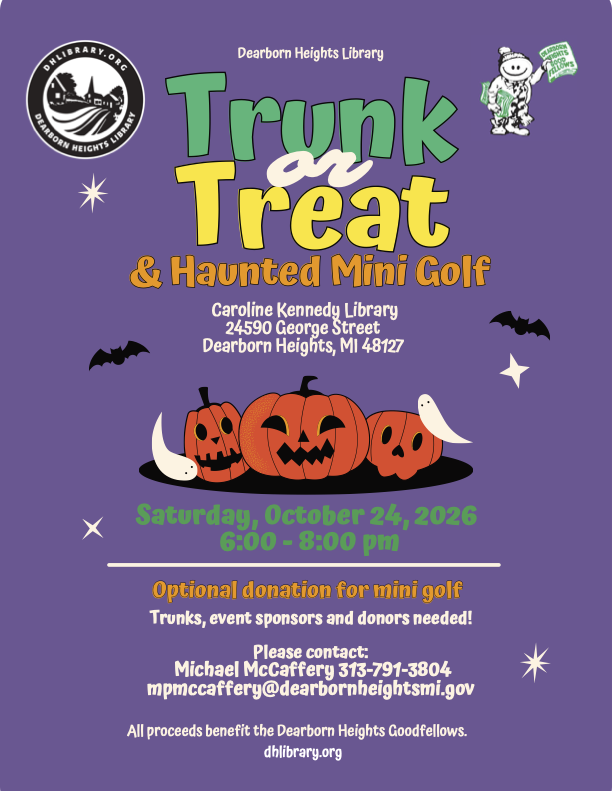
Looking for a fun way to celebrate Halloween with your family? The Dearborn Heights Library is hosting a Trunk or Treat & Haunted Mini Golf event on Saturday, October 24, 2026, from 6:00–8:00 PM at the Caroline Kennedy Library, located at 24590 George Street in Dearborn Heights.
Families are invited to enjoy an evening of Halloween festivities while supporting the Dearborn Heights Goodfellows. Optional donations will be accepted for mini golf, with all proceeds benefiting the organization.
Community participation is welcome! The library is also looking for trunks, event sponsors, and donors. Anyone interested in participating or supporting the event can contact Michael McCaffery at 313-791-3804 or mpmccaffery@dearbornheightsmi.gov.
For more information, visit dhlibrary.org or see the attached flyer. |
|
|
|
We still have many families who have not completed their Back-to-School Check-In. It is very important that all families complete this as soon as possible. ⬇️ Complete your Back-to-School Check-In below! |
Update Contact Information with Back to School Check-In: |
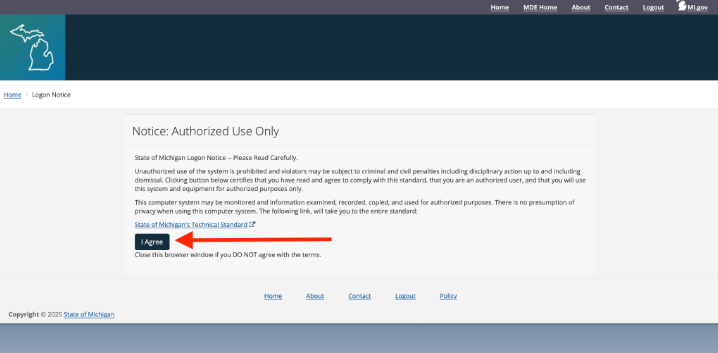
In order to make sure that you are updated on the latest school information and your child’s progress, all parents/guardians are required to complete the back to school registration in MiStar prior to the first day of school for each student in the household. This ensures that we have the most up to date information regarding your student. All school communications are sent home electronically. It is important that we have up to date information to communicate with parents and guardians. Parents are asked to go to their MiStar Parent Connection account through the MiStar Parent Portal MiStar Parent Portal. Be sure to complete all check-in steps.
Completing the back to school check-in is best done on a desktop or tablet, not a phone. If you do not have a computer, you can stop by the Crestwood Board Office (1045 N. Gulley) Monday-Thursday from 9 AM - 2 PM. There are Chromebooks ready for you to register your student in our lobby. Need help? Please watch a step-by-step video in your preferred language.
English: https://5il.co/3k3nb
Arabic: https://5il.co/3k3na
Please ensure your child/student is aware of their MiStar Student Connection Username and password. Please keep your MiStar Parent Connect password a secret from your student. If you forgot your Parent Connect pin or password, you can reset it from the MiStar Portal. The red circled area resets your pin and the purple circled area resets your password.
If you need additional assistance with your MiStar Parent Connection Login, please email Mrs. Ali @nali@csdmi.org or call her at 313-278-8390. |
|
|
|
New Family Communication - Connect |
We’re excited to roll out a new tool that will simplify how we communicate with you. Connect, built right into our Crestwood School District app and website, offer secure and safe two-way messaging.
This addition allows our district to bring the community closer together. From messages to educators, to events, to lunch menus, and more - everything can now live in one place. Download the Crestwood School District app:
Android
iPhone Why Connect? |
- One place for every message.
-
No more juggling multiple communication apps, flipping between inboxes, or remembering different logins.
- Text notifications. You can get notified automatically of new messages even if you haven’t downloaded our district app.
- Safe and secure. Built-in moderation and other safety tools allow us to ensure safety of all communications, at all times.
|
What to Expect:
Connect will become our primary method of communication for all interactions between staff, coaches, families, and teachers. You may receive a text notification from 27806. The text will let you know who sent you a message in the Connect platform; you can then click the link for web access or view the message via the Crestwood School District app. It will be important that you go ahead and login to your account and familiarize yourself with the platform so we are ready to go for this school year.
Options to access Connect: |
- When a staff member sends a message to you in Connect, it will trigger a text notification to your phone. You can then click on the link, have it send you a verification code to access the web version.
- Login from a text/email invitation
- Tap the link to open the invite
- Download the app
- Enter your personal email or phone number. You will then receive a verification code via text or email to get in.
-
Download the Crestwood School District app - Enter your personal email or phone number. You will then receive a verification code via text or email to get in.
- The first time you open the app, it will ask to send you push notifications. Select Allow to get important announcements from your teachers within the classroom.
-
Select the Rooms and Messages tab at the bottom of the app so you can start engaging with teachers via Messages and Classes!
- Messages is two way communication where you can respond to a staff/start conversations with a staff member.
- Rooms is where you’ll see your child’s virtual room(s).
|
If you have any issues getting logged in to the Crestwood School District app with your cell phone number or personal email address, please reach out to your student’s school. Click here for the Quick Start Guide for Families |
|
|
|
Fresh Fruit & Vegetable Program Coming to Highview! |
|
|
|
|
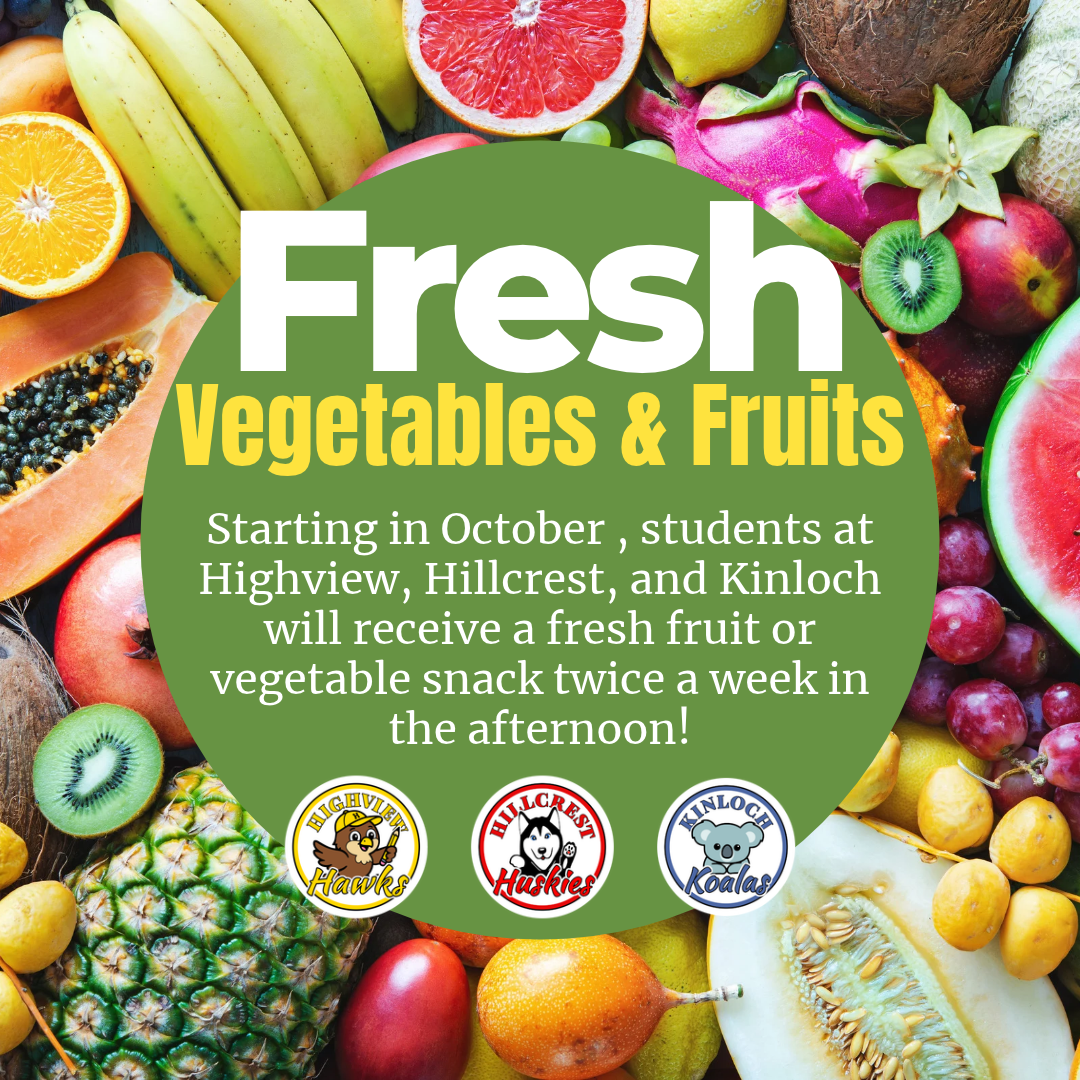
We are excited to announce that Highview, Hillcrest, and Kinloch have been selected by the Michigan Department of Education to participate in the United States Department of Agriculture’s Fresh Fruit and Vegetable Program (FFVP).
Beginning in October, students at these schools will receive a fresh fruit or vegetable snack twice a week during the early afternoon. The program is designed to create healthier school environments, introduce children to a greater variety of fruits and vegetables, increase fruit and vegetable consumption, and encourage healthy eating habits that can positively impact students now and in the future.
We are excited to provide our students with opportunities to try new foods, discover healthy choices, and build habits that support their health and learning! Families with questions can contact Food Services at (313) 278-0423. |
|
|
|
Access Your Student’s State Testing Results Through MiLearn |
|
|
|
|
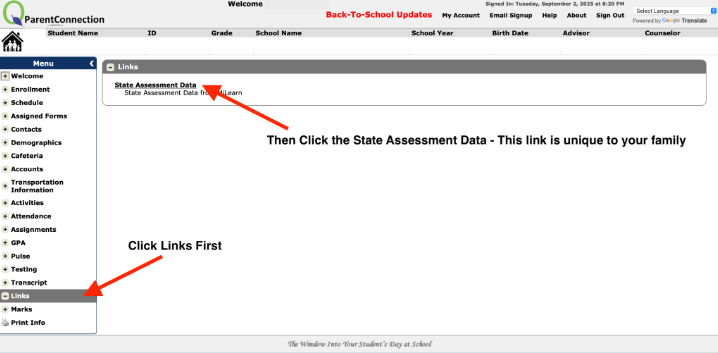
The Michigan Department of Education now provides families with easier access to state testing results through MiLearn (Michigan Linked Educational Assessment Reporting Network). Your student’s M-Step scores from the spring can be found here. Why it Matters:
Parent reports give you a clear picture of your child’s academic progress, showing strengths and areas for growth. Reviewing these results helps families work with teachers to set goals and support learning. Key Features of MiLearn: |
- Secure access to all state summative and benchmark assessments.
- Up to five years of test results available for your student.
- Reports provided in English, Spanish, and Arabic.
- Accessible directly through your district’s MiStar Parent Portal (no separate login required).
|
How to Access:
Log in to the MiStar Parent Portal using your existing account. Look for the State Assessment Data under links to view your child’s results. Taking time to review these reports will give you valuable insights into your child’s progress and help strengthen the school-home partnership to support student success. |
|
|
|
Message from Our Community Partners |
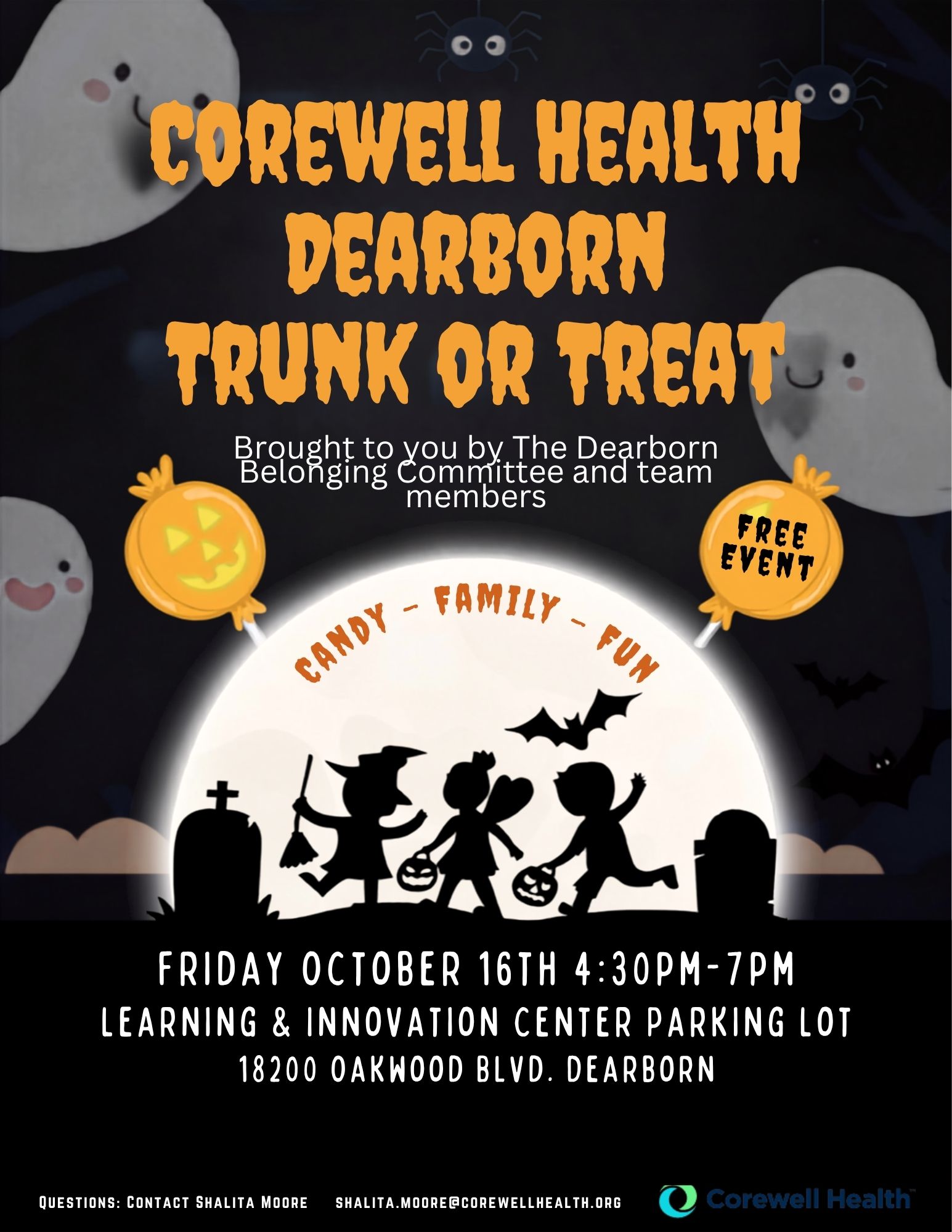
Corewell Health Dearborn Trunk or Treat |
|
|
|
|
Crestwood families are invited to enjoy a FREE evening of Halloween fun at the Corewell Health Dearborn Trunk or Treat! The event will take place on Friday, October 16, from 4:30–7:00 p.m. in the parking lot of the Learning & Innovation Center, 18200 Oakwood Blvd., Dearborn.
Families can enjoy candy, costumes, and family-friendly fun. Mark your calendars and join Corewell Health Dearborn for this special community event! Questions can be directed to Shalita Moore at shalita.moore@corewellhealth.org |
|
|
|
ASAP Community Coalition September Newsletter: Supporting Healthy, Safe Communities |
|
|
|
| Crestwood School District is pleased to share the September, 2026 ASAP Community Coalition Newsletter, highlighting the important work being done throughout our community to promote substance use prevention, mental health awareness, and family wellness. This month's newsletter features community outreach efforts, upcoming educational opportunities, free Naloxone training, and information about National Prescription Drug Take Back Day, which provides families with opportunities to safely dispose of unused or expired medications.
We're also excited to highlight the ASAP Community Coalition's partnership with the Crestwood High School Key Club for the upcoming Trunk or Treat event on October 28th, from 4:00–6:00 PM. Families are invited to stop by for treats and valuable resources focused on substance use prevention and wellness.
We encourage all Crestwood families to read the attached newsletter to learn more about these important initiatives, upcoming events, and resources available to support the health and well-being of our students, families, and community.
Together, we can continue building a healthier, safer, and more connected Crestwood community! |
|
|
|
Keep these helpful links handy for quick access throughout the school year. |
|
|
|
Follow Us on Social Media! |
|
|
|
Crestwood School District Social Media |
|
| |
|
Highview Elementary School Social Media |
|
| |
|
|